Introduction to statecharts
Watch on YouTube (React Finland)
What is this talk about?
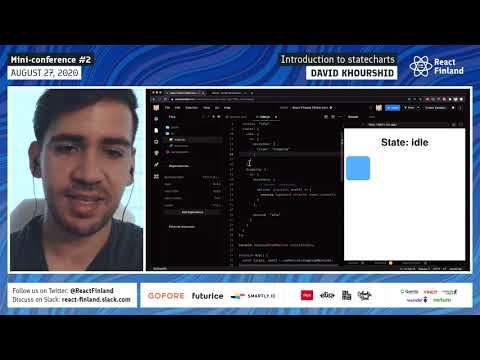
In his demonstration, David Khourshid gives us an introduction to statecharts through a practical example using xstate and React. (From the video description.)
“What's going to happen here is when I'm in the idle state in a mouse down event happens.”
“Remember, we have our three or two states idle and dragging, and we can move between those states, and that represents the difference in behavior between those states.”
From the opening of the talk.
Key takeaways
- X8 is a state machine and statechart library, which might be a little bit different if you're coming from something like Redux or MobX, or any of these other state management libraries. 0:00
- What's going to happen here is when I'm in the idle state in a mouse down event happens. 6:00
- If we're dragging it and I press shift now, I can only drag it in one axis, and if I lift shift now goes back to normal. 23:00
- Learning about state machines and statecharts really makes you think about your state in a more robust way. 29:00
- UseReducer, probably my favorite hook to use for state management, you would, you would, say, that you never really use your state. 38:00
Quoted from the transcript.
Full transcript
From YouTube auto-captions. Punctuation and capitals were restored automatically. Technical terms were normalized; some errors remain. 6,794 words.
0:00 Introduction
All right, thank you, Sarah. My name is David Khourshid, I am the creator of XData. I also work at Microsoft, but that's not really important. So, X8 is a state machine and statechart library, which might be a little bit different if you're coming from something like Redux or MobX, or any of these other state management libraries. Because it's not strictly a state management library, it's more of. You could think of it as a state orchestration library because it works with, with how your state changes and how your application behavior changes over time. And so I think one of the best ways that I could talk about this is by an example. So let's just dive right in and see how we could use XState with React. So first of all, we have this package called XState. And so from exit, actually, let me make this font size a little bit bigger. Somehow, I actually completely forget how, all right, just zooming in your screen if you can't see it anyway.
So, in like with normalcy management libraries, you might have a reducer, you might have an object where you could directly mutate stuff. That's not the same thing we do in next day, we create a machine. So in this example, what I want to do is I want to create sort of a drag drop machine. So let's say that you had this requirements to drag this box and have it so that you could pick it up and move it anywhere. And of course, you would think, Okay, I could probably use the library for that, you know? Install a React package that does exactly that. But I think it's better if we do it ourselves. So the first thing we want to do is have a const. Drag. Well, we'll call it a drag drop machine, and we are going to create a machine by using the create machine function. Now, this takes a big object in which we could define how a machine is supposed to behave.
So this is going to be our definition for our state machine. A SD machine has an initial state, so we could have initial idle. And it doesn't matter what you call them, you could call these anything you want, but this. Represents the, the first date of this drag drop machine. So right now, the box isn't doing any, doing anything. We're just in an idle state and so we could list all of our states here, in this case, we only have one state which is idle. And so this is going to be the very, very basic, first part of how we define our machine, now, how we actually use that machine. In a Reacts component, there is a handy hook called useMachine from Xtape React. So before I go there, though, I'm going to show you that we could. Console..log, this drag drop machine dot initial states, just to have a peek at what that state object looks like. And so if you could see over here, we have see.
If I can zoom in, all right, yeah, perfect, I can actually zoom in. We have this state object with a whole bunch of different things. The most important things are going to be this value, which is the finite state value, which is that idle that we have here. This is going to be important as well. This context is going to hold a bunch of extra data for us that we could play around with. It's meant to represent extended state, so state that is not necessarily finite, it could be infinite. It could be things like, well, in this case, mouse, position, numbers, data, things that don't fit neatly into dividing your states by these, finite states. And it also has what the most recent event was in things such as actions, inactive actions are like effects. But we'll get into that a little bit later. All right, cool.
So now that we have our machine and we see that it did successfully create a machine, we could use this machine, which represents like this container of logic that we could use anywhere, using the useMachine hook. So if you know useReducer, then useMachine is basically the same thing. We have cons states in a way to send things to that state, and then we useMachine, that drag drop machine. So now, like we saw, logged here, the state dot value contains that finite state, so we'll just add that state dot value over here and we could see that it's idle. Now, right now, this isn't very interesting. This is, you know, super basic. And you probably didn't need to go through useMachine and creating a state machine to do this. But let's add a little bit of interaction, just so that we could see how the state machine could change over time. So with this box, we could do a few things we could, let's say that we want to drag it, so we would want some sort of on mouse down and so on mouse down.
Well, let's see, we do need that event, let's say that we wanted to send that event as is directly to that machine. Now this event dot type is going to be mouse down, so we're going to be able to use that directly in our machine. Let's make a dragging state just like that, and we're going to say on, and this is an object that maps events to, to transitions. So we're going to say mouse down dragging, and this is shorthand, by the way, for target dragging. So what's going to happen here is when I'm in the idle state in a mouse down event happens. On this box, we're going to transition to the dragging state. And so you're going to see that it went from idle to dragging, but now you can see that there's no way to go from dragging back to idle. So let's end on mess up equals event and same thing. We're going to send that event this time, that event is going to be on mouse up, so on mouse up.
And we're going to do the short hand here, so we're going to go back to idle. Remember, it's the same thing as having an object with target, so now we can pretend that we're dragging, but when we lift the mouse, we go back to idle. And so this is a very, very basic state machine in which we respond to the events that are happening. And so, of course, the third event that could happen is mouse move, and now, when we're in mouse move, nothing should really, happen. We want to still be dragging the box. So this is where we could have target undefined, or you could just not define the target at all, and we could have actions. Difference between X. Data and Redux actions are effects, they're side effects, they're not, you know, the events. And that's because in state machine terminology and in action is like the output, it's the side effect of what happens in the machine. So for now, I'm just going to console.log, the Events.clientx just for you to see, and the Events.client Y.
But of course, we have to add an on mouse move [Music] to here as well. So send event that's why I like DOM events, because you could just send the event as is. You don't need to convert them to anything. But now, as I move the block or as I drag the box around, you'll see the numbers update there. And so that's the basic idea of using those side effects is that we're going to be able to do something with those numbers. As we'll see pretty soon now. Right now, this still isn't very interesting, because, there, I mean, maybe you think it is, and if you do think it is, and that's awesome, but it's not interesting. Because the box isn't moving yet, and so in order to move the box, we're going to need to get a little bit creative and, and also use some context. Remember, we have our three or two states idle and dragging, and we can move between those states, and that represents the difference in behavior between those states.
For example, if I'm in the aisle state and I'm moving my mouse, I don't want this to happen so you could see I'm moving my mouse throughout this box. This event listener is firing, but the state isn't changing. However, when I'm dragging now, it's logging those numbers. So now you see the difference between a state management library that would just let you do anything on an event versus state orchestration. Where we define, how an app should behave within a certain state. So, again, maps move shouldn't do anything on idle, and that's guaranteed by us not having any sort of mouse move transition on the idle states.
10:00 The pointer X to, and this is going to take the…
All right, so now let's add a little bit of context. This is different from React context. This context is basically the contextual data that is contained. Or that can change, throughout the application. So I want to capture a few things first. Of all the X and the Y position of the box, we're just going to have it at zero. And then the, I'm going to call it pointer X and pointer Y. Actually, I'll make this capital, pointer X and pointer Y. And this is going to be the position of our pointer when we click it on the element. And the reason we want that is because we don't want the box to jump around. To where we, where we put our mouse down, and then we're going to have DX and DY. Which is going to be how far the cursor has traveled from where we put it down to, to wherever we move it.
Okay, so, on mouse down. We do have the event. client X and the Event.client Y. And so we're going to be able to use those to actually change the context, so we could say actions. And one of the actions that's built into X8 is a sign. So assign lets you directly assign to properties in the context. This doesn't do any mutation, by the way, it's immutable, but it's just an easier way to update that context. So we could assign. The pointer X to, and this is going to take the context which we don't need, and the events. And so we're going to say event dot client X, and we could do the same thing for pointer Y, so we could say pointer Y. Event events dot clients Y. [Music]. Now this context is going to be available in state.context, so, state.context. So let's just take a peek and see what we have here, we have all of our values here.
But when I click, you'll see that the pointer X and the pointer Y is now updated. So everything is working just as we expect, and we could use those values. So now we have to do a little bit of math. Because what I want to do is whenever the mouse moves, I want to calculate the distance between where the pointer was and where the um. And, where we're actually moving our mouse. So, here's how we could do that. Instead of having this action over here, we're going to assign to context again, and so we're going to, I'm going to assign. DX and I'm just going to write some shorthand here context and event, just because I'm lazy, and this is going to be the event dot client X minus the context dot pointer X. And so we're going to do the same thing over here, we are going to calculate the distance between where we're moving our mouse and where the pointer is.
So now, if you look at the console again while we drag, you'll see that we have a few updates, for instance over here. We see that from our original points, we moved negative three, so three pixels to the left and seven pixels up. Sorry, I always get confused whether Y is positive or negative. So, we have those values and we're going between idle dragging and idle so we could use those directly. And one of my favorite ways to do that is to actually use CSS variables. So, the box, we're just going to do some style. I know some of you might be scared of inline styles. Don't worry, inline styles are the perfect place to use. CSS variables and not much else. Honestly, the only thing you should really be putting in this style tag are CSS variables. But that's just my opinion, you could fight me on that, that's okay, all right.
So, we have that DX property and that comes from state.context.DX. So to make it easier, I'm going to say, const dxdy equals state.context, so we're going to destructure the DX and the DY [Music] from that states.context. Now I have some style set up over here, where we have, well, we have x and Y. Let me just set those to defaults for now. And we're also transforming this based on that DX position, which is just a number, so we had to convert that to pixels in that DY position. So now when we click and drag, we'll see that it actually moves with the mouse. However, when we go to idle and then we try to drag again, you're gonna see that it jumps and it does some weird things. And so we have to change a few things. This isn't a bug, this is just, some missing styles that we have to add, all right. So, when we're dragging and we have a mouse up now, we.
Have to assign those X and Y values too, so I'm going to go ahead and get those X and Y values and that's going to represent the actual position of the box. So the DX and DY is the box moving, but once it stops moving. What we want to do is we want to use those DX and DY values to update the X and Y values, and so on. Mouse up instead of it just going to idle, which is the same thing as target idle. What we want to do is we want to assign X to the the original position. Plus how far it moved. And so we want to do the same thing with y. We want to move it from its original Y position to how far it moved. We also want to zero everything out so we could just say DX0, DY0, pointer, X 0, pointer, Y 0.. Now notice over here, I'm not using this inline function to update these.
And that's because these are just static values. So if they're static values, you don't need to. And you don't need to read the context or the event, you could just put the value as is over there. So now when we drag idle, you see it jumps right back. And so let me actually see why that happens. We have x y d x d y. We might need to reload this. Okay, actually, this should not be necessary, but let's see dragging, all right, let's reload it, drag and you see it snaps back. So we don't want that to happen, and so we could easily, debug this. In fact, I'm glad I'm showing this because it's like live debugging as well as live coding. But we could console..log X and Y just to make sure that they are indeed getting updated. All right, so okay. So now they should be updated to 49 and negative 13.. So let's just double check. And you know what, I think we have to do.
A position absolute. I think that's something we forgot to do. Okay, yeah, there we go, so we have dragging, we have idle, and so that all is working perfectly fine. So the last thing that I want to show you is, why statecharts are actually useful? And why these state machines are actually useful? This already might be a little bit of a learning curve. Because now we're not thinking in direct manipulation and directly handling events, but now we're thinking in terms of states and events. But, let me show you some cool things, about this, and so one of the more advanced, parts of statecharts.
19:00 If we're dragging it and I press shift now…
So let's see that we're dragging, and so the behavior is that whenever, sorry, whenever we drag, let me just stop console logging for a minute. Well, let's see that whenever we drag, we want to limit the axis of wherever this is being dragged to. So I don't want to go up and down, I want to go, just to the left and to the right. So we could do that by changing the behavior and adding, you know, a couple of nested states. So, when we're dragging, let's say that our initial is normal, and so for normal dragging, everything just basically stays the same. So we have states, normal. And I also want a lock state where this lock state. Our mouse moving, we only want it to move in the X direction, so we could say on mouse move. And I'm just going to take that y out of there. And so what that's going to do is this event is going to supersede this offense because this event is on the parent states and not the child state, which is more, specific.
Now we want events to go between normal and locks. So I'm just going to say on, let's call this shift dot down. We go to the lock states and we're going to define this in a minute and so on. Shift dot up, we go to the normal state. And so, now we have to actually define, how to do those shift events. So I'm just going to, just for sake of time, and for there not really being a better way to do this in React, I'm going to useEffect. Because what we're going to do is we're going to be attaching some event listeners to the actual body. And so we're going to say, body. Dot ad, I guess it's document.body.head event listener key down, and we could say if e dot key is. Shift, then we want to send, shift that down. Now. Notice, I did not send an events object, I just sent the string. This is the exact same as just sending a type, and, you know, that's that event.
This is asking for send, but send is stable, just like dispatch, so you don't really have to have to worry about that. Okay, so we have state dot value, let's do state dot 2 strings join. And I'm just going to give it a space so that you could see that. When we're dragging, I'm in, I am in the dragon.normal state, which means I'm both in dragging and normal. But when I press shift, which is not working, oh, because it's capital shifts classic, okay, so sorry, when I'm dragging and I press shift. Now it's locked and now you can see, I could only move it in one axis. So I also need to add an event listener. And actually, I should really be putting this in a handler. So I'm going to say, counts down and learn close that. And we could have it down handler over here. And let's have an up handler as well, so up handler, send, shift, dot, up, okay, so on key, key, up, up handler.
So that we could, we could dispose of them both, so we could say, body dot. Remove event listener for key down, down handler, and same thing for key up, key up top handler. Okay, now, we, we have our event listeners. Again, no easy way to do this, without using useEffect and having all that, but this is exactly what useEffect is for. Okay, so now let's try this out. If we're dragging it and I press shift now, I can only drag it in one axis, and if I lift shift now goes back to normal. So, and then when I, when I let go. Now it's idle again, so we could start dragging again. I'm pressing shift down, so it's locked. Now it's normal, so I could drag it wherever I want and now it's back to idle. And so having a statechart for this makes the behavior really, really clear. Compared to doing this manually, or using, you know, something like Redux or something more free form. And less structured than a state machine or statechart.
One of the biggest benefits, though, is that I could take this and I could put it directly inside of a visualizer, and in this case, this is the XC visualizer. So what I did was I copied and pasted that code, I put it here and I click update. And then you could see the exact logic of how our drag and drop application works, visually over here. And not only that, but we could actually, you know, we could actually move between the states, so I could go between, shift down.
25:00 Learning about state machines and statecharts really makes you think about…
And so we see that mouse move over here is more specific than that mouse move over here, and in this mouse move, we're only assigning to DX. So it's really clear what's going on. And you could also visualize the states and the events that happened as well in the machine. So that is a very basic intro to using XState in React. And I, I hope you found it useful. I'm going to go ahead and I'm going to post this link in some sort of chat. But yeah, [Music] so thank you very much. And I guess we could open the floor to any questions, and I already have some questions that have been asked in the chat.
I apologize. I'm gonna do some weird movements because I have really bad eyesight and the computer's on this side. Okay, uh. So one question is, what is the difference between statecharts and state machines? That's a good question. So a state machine is, you know, it's you have. It's a very mathematical definition, so we have finite set of states, events and transitions, very basic. So if you think boxes and arrows, that basic structure is your state machine. A statechart is an extended version of the state machine, so statecharts introduce other features such as nesting. Like I showed in the demo, they also introduced things like orthogonality or parallel states, which is sort of the idea that you could be in. I mean, it's impossible to be in more than one state at the same time, but just representing the combination of states as a state. Sort of like, going to your favorite, I don't know Mexican restaurants where you could have like.
Oh, I want this with on tacos and enchiladas, with chicken and beef. And just like being able to combine those things. But still having that be a single meal instead of, instead of having a an ex. A combinatorial explosion of all the different menu options. There's also other mechanisms, like history, where you could say, I want to go back to what the previous dates or the previous child states of this parent's, you know, state was. Let's see. There's also, I mean, there's just a bunch of extra features, and also the idea of having extended states. That's part of statecharts as well, so basically, statecharts were invented to solve a lot of problems with state machines. Because state machines can't really describe everything. So you could think of statecharts as an extension of state machines, but they're, they're sort of equivalents, too. Yeah, okay, now you have to explain where orthogonal is, so because I have no idea what that word means.
Oh so, orthogonal just means like, like, side by side, like, oh, I don't know. It's. It's a big word to make people sound smart, it just means. But is it like parallel things that can happen? Yeah, yeah, yeah, parallel. I like seeing parallel instead. Orthogonal is really good, though. Okay, another question that I have is, so, imagine that you already know Mob X or Redox or overminds. You already know these things, you're already very familiar with them. What are the benefits in your minds as someone who really likes state machines of learning it? Like, what are the immediate benefits after the learning curve? And does it make sense if you already know these things and you've been using them for a while? [Music] yeah, yeah, so honestly, ask anyone who's been using, state machines and statecharts for a while, like, even, Christian, who's who's talking? He. He created an Overmind library, which uses state machines and stage arts as well.
It really changes the way that you think about state, because, currently the way we think about state. And you know, normal React applications is that we're like, okay, we have this object, we need to update it somehow, just whenever we want, but that's not safe. What's a lot safer is? We define that in our data is in some sort of mode, right? And we could only do certain things in certain modes. And so each one of those modes can be represented as a finite state. And so we just have a lot more robust control of our application logic by thinking in state machines and statecharts. So even if you don't use my library or any other state, state machine library, or even if you don't use any library at all for state machines. Just learning about it and there's a ton of information out there.
Learning about state machines and statecharts really makes you think about your state in a more robust way. Especially, a question that I wanted to ask you is that, do you? Do you think people should go from state machines to your library? So, like, learn about state machines first, instead of picking up your library like out of thin air. Definitely, because otherwise, if you, if you don't, then you're going to be trying to do your old habits. Within state machines. And sort of fitting a square peg into a round hole, it doesn't really work, okay, I also have another question, which is, is it valuable to use XState with other state machine with other, state management libraries? Like if you're going from one state management to the other, basically, do they does? It works with other things. Yeah, yeah, you, you can if you want. I know that there are people who have used XD with Redux with Mob X.
But um. And some people who have even, you know, replaced usage of those state management libraries with just X8. Because X8 has its own state management. You know, built in, so but you definitely can use it. X8 is basically the machine transition function is a pure function. So you could use it wherever you want, and obviously it's not limited to just React, you could use it in basically any framework. In fact, there's an XState Immer package, I love Immer, and so if you want to use Immer to more easily manage that context in the machine. That's honestly what I use in my personal projects is Xdateimmer, so that's literally me. Combining state management libraries. Yeah, yeah, I guess Simmer does make sense. Because it takes a little bit of the boilerplate out so you can make sure look like you're writing like, immutable code, and it helps with that. Okay, so one last question I have here is, what do you think is the best use case for state machines?
In? In applications like, there are some that are probably like, I know that in your mind in all applications, but you bring that aside. Like, what type of application? Do you have something in mind where you think it would really be like a mind, change, like a mind? So basically, you'll know when the complexity gets to a certain level where you're like, Okay, I have no idea what's going on. And I know that there might be edge cases in my app. That's when you would want to use state machines. For simple applications. You really don't need to just do things normal way that you've been doing. But once you have things like, Oh, I have to add an if statement, or I have to add a switch statement, or. I don't really understand the logic. And I would really love to see it visualized. That's when you would reach for state machines in statecharts, and by reaching for it, I don't mean using a library, I mean grabbing pencil and paper, drawing it out, trying to figure out, okay, here's how my logic is supposed to work, and then mapping that to a library like XState.
33:00 I've never seen anyone really do that…
Yeah, one thing that I've seen a lot, also with Christian, because I work with him, is that it's very common for him as well to like. Not not pen and paper, but excalibur or something and map. Yeah, like, how this date is gonna look, which is something that I've never done like, I tend to just jump into the code, which has gotten me into issues several times. It's interesting that a lot of people actually like, I'm gonna like, think about how they're gonna structure something before they actually start coding in. Like an old-fashioned way. I don't know, it's, it's, it's a new thing to me. Before person. I've never seen anyone really do that, but I think as soon as things start getting too hard, kinda you have to. I guess that's, that's the idea, because I've done this, this part, that was. Really big. And I took care of the state park and I had to redo it like three times because, like, how it was made wasn't sustainable, like two or three times. And I had to, like, talk to my wife for like an hour, and I was like, this doesn't make sense, this doesn't work.
ALEX yeah, yeah, so the I'm, I mean, the important part and the basically. The main reason for statecharts is because you want to offload everything that's going on inside your head and put it somewhere. And so statecharts and state machines provide that language, that visual language for doing so. So that, you know, you don't have to think about every single edge case or every single possible thing that could go wrong. So yeah, that's why I like drawing it out too, and Excel draws a really great tool for doing that. Oh, Excelsior is amazing. Like, honestly, it's, yeah, props the developers who made Scala draw, that is really, really impressive. Okay? So if anyone has any other questions, you can post it on the QA channel, and if there's not, no other questions. I guess it's my turn to just chat to David. I guess that's that's what's happening right now. So how are you feeling today? Do you feel like a weight off your shoulders after this live coding session?
35:00 You respond to events differently in the before coffee state versus…
Because I do, because you didn't find any bugs on code sign boxes. Even I am relieved. [Laughter] yeah, no, it worked out well. I mean, I couldn't figure out how to zoom in the font, so I just zoomed in the entire webpage. But that's, that's fine. That's what you do, I mean, you can change the font size, but that's what you do, so that's, yeah. Yeah, I've done before, I just forgot how to do it, but yeah, I think this is the earliest I've done live coding. So, yeah, did you have coffee before? That's the real question. No, no, I haven't. No, oh wow, okay it. Yeah, everything is closed until, well, now it's open. But yeah, so this is why I have a not a coffee machine, but a fancy like thing to make coffee at home. I don't think I could, like, should actually, like, have to go outside to get coffee, yeah, and. Actually, that's a that's a really good analogy for, state machines, too, is that different things can happen in different states.
And so there was a before coffee state and an after coffee state. And so you respond to events differently in the before coffee state versus the after coffee state. I mean, honestly, it's lucky if you do respond to events in the before coffee. Okay, exactly, you know, like, I really respect the fact that you're doing this before coffee at like 7 a..m. And yeah, that is I. I really respect that. Okay, yeah, I'm just thinking about questions right now. One thing that I could ask you is that, so you use Immer and XState? Is there anything else that you really recommend using for managing state or in React, not, or in sorry, so in React? And I think this was a question asked a few times on Twitter, just in general. A lot of people asking, Okay, what are the new state management libraries that we should use in 2020?
37:00 Even in React, the way they implemented…
Obviously I'm biased, but even I would say, don't reach for one. Try using use, reducer, use, context, use, effect those three alone will already get you pretty far. And, you know, most of our applications that, you know, people do in React, they're just crud, you know? Create, read, update the leads. We're not doing anything crazy with state management. So you don't have to reach for Recoil, which is only popular because it has a Facebook name on it. I didn't say that, though, and also like, I mean it, no, but it's true. It's basically you stayed at the top, it's like it's like local storage, but not really right. And everyone else, yeah, no, I recoil is awesome. But everyone who's used MobX before is like, this is basically a reacts flavored Mob X. So, you know, and MobX is cool and does have its uses, too. But I would say again, useReducer is going to be your entryway to thinking in these in this sort of events driven, paradigm.
Because if you use states, then you're just updating state directly, so where does your logic live? It lives in all of the event handlers and next to all the places that are calling you states which. It's really hard to consolidate and understand that logic, especially if you have another developer coming in and working on the same project with you. So useReducer, probably my favorite hook to use for state management, you would, you would, say, that you never really use your state. Then, outside of, like, a context, unless, unless I know it's, yes, yeah, yeah, unless I know it's going to be really simple. Like I have a little counter or something like that, then I'm like, Okay, sure, I'll use dates. But even in React, the way they implemented, use date is basically useReducer. You know, just behind the scenes. Yeah, yeah. So, you stay for very simple stuff, but, you know, just always be thinking of useReducer and moving towards that.
And then when you start to write those nasty switch case statements, then maybe reach for something like X8, because it does make it a lot easier for you. Yeah, that makes sense. Someone is asking if you're going to post all of the examples like the GoldSandbox unboxings on the chat. You don't have to do it now, it's just that. Okay, he's going to do it now, he's going to do it. I. I did, okay. He has done it on the QA channel, so as long as you're in the QA channel, you can also ask a question. So just, you know, just all drives back there, so I don't have to make up questions in my mind, that would be great. Thanks. Yes, well, I could say something, too, in a few days. The visualizer that I showed in the presentation is actually pretty old, and it is running an old version of XD.
It's a quite a few minor versions behind, but it does show like, how stable the XState API is, you know, no big changes, um.
40:00 If you do something in the visualizer…
However, there is a new visualizer that is coming. On the 30th or the 31st, I did promise that I would release it on the 30th, um. But this visualizer will be able to be used not standalone, but you could use it within code Sandbox or CodePen, although it's a little bit harder. And you could, basically have it as an iframe or as a separate window visualizing your application in real time. In all. The machines that you have inside of it, so basically all the goodness that you get with the visualizer. But in your applications, and if you use TypeScript, then you know, it's just gonna work. So, oh, that's really cool. So you is it? What is it? A you give back like an iframe, a URL or something, all right. So how does that? Oh well, yeah, yeah, so. The way it works is there's going to be a small package to install called XState inspect.
And obviously it's one of those where you only want to have it in development mode, not production mode. And so you call that. It populates an iframe with some URL containing the visualization. And then it uses window communication, which in sort of an inception, dog food sort of way that communication is done with XState as well. So it is using a state machine. And basically. Whatever happens in your app is going to be visualized in real time in the visualizer. And it works in both directions too. So if you do something in the visualizer, it will show up in your app. And so I, it's really, yeah, yeah. You give people the option to use it wherever they want, which is a problem of a lot of um. Like for example the React DevTools or something you have to have. Like it needs to be in the browser, obviously, like we put it on code sandbox, but for example, View Dev tools.
42:00 To be honest, you're a very smart man, very smart man
You can't or something like that. And in this case, you can use it whatever you want, there's really no issue, wherever you are, you can just open it. That's really smart, exactly. And, you know, I, I thanks. It's less smart and more lazy of me because I, trying to figure out how to do devTools is a real pain. So, I thought he was just like, I didn't want to like John. Yeah, basically, ask anyone who has tried to do Chrome Dev tools, or maybe you have, it's just really, really painful. So I'm like, I could just open a window and communicate with it, and that's really easy to do. So that may be why over mine DevTools are in VS code instead of being in Chrome. Yeah, I saw well when I saw Overmind Dev. Tools, you know, just having it be its own standalone thing. I'm like, that's actually really smart, you know, you don't have to wrestle with any platform stuff. Yeah, that, let me explain it, let me explain it.
Yeah, so I think that is our time for questions. Right, right, yes, that is our time for questions. David, thank you so much for your talk. Seriously, thank you so much for waking up early and, like, representing this. It was really, really, really good. And it's quite impressive to watch your code. To be honest, you're a very smart man, very smart man. And thank you all. To code Sandbox and it's awesome interface. I am so happy every time like a speaker uses code Sandbox. I'm like, they're gonna find a bug and I'm gonna be there, and they're gonna be like, Where's the Emcee fix the bug? And I'm like, Oh, no, then they're all. No, I actually don't know how to code well. Thank you very much for having me, thank you.
Related talks
-
Build Better Apps with State Machines
Learn With Jason (CodeTV), 2021. 1:23:12, 7.4K views -
Making Application Logic Visually Collaborative (Infobip Shift)
Infobip Shift 2021. 27:18 -
The Visual Future of Reactive Applications with Statecharts
HolyJS, 2019. 1:01:09, 5.8K views -
XState: The Visual Future of State Management (React fwdays)
React fwdays 2021 (online). 30:44, 5.7K views