Why You Should Know State Machines
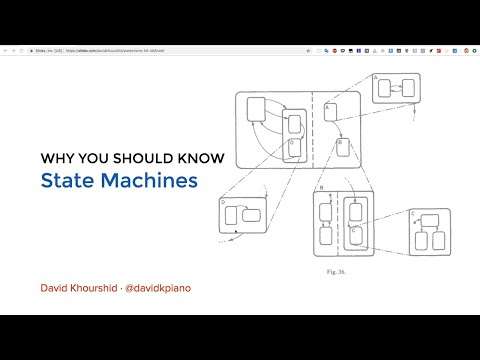
Watch on YouTube (Project Codex)
What is this talk about?
This is a talk from David Khourshid on Finite State Machines! David is a Software Engineer for Microsoft and has given talks across the globe. (From the video description.)
“On finite state machines have one initial state, for example, idle, they have a finite number of states, that's where finite comes in.”
“Let's say that we are in the green state and a timer event happens, so now, when we do this, nothing happens.”
From the opening of the talk.
Key takeaways
- On finite state machines have one initial state, for example, idle, they have a finite number of states, that's where finite comes in. 8:00
- Visualize your state machine, and so this is one of my favorite parts about using a state machine is that. 17:00
- Nested states could also make your make your state machine diagrams a lot simpler, for instance, over here. 22:00
- You don't have that declarative notion of when an event happens in this state, here's to the next state, and here's the actions that you should do, or the side-effects. 41:00
- Even if you're using Redux or NCR X or any other state management library, these are things that you should think about. 44:00
Quoted from the transcript.
Full transcript
From YouTube auto-captions. Punctuation and capitals were restored automatically. Technical terms were normalized; some errors remain. 7,558 words.
0:00 Introduction
All right, so let's just wait for this to it's, it's warming up. So, but first of all, yeah, before the slideshow or anything. How many of you have heard of the, you know, the FaceTime bug? Do you all have iPhones, right? Do you know what happened? All right, so, like, half of the room knows what happened, half of the room doesn't. So I'm going to sort of give you this little bit of software. Horror story. What happened was a fourteen-year-old actually discovered a peculiar bug on iOS devices. Where if you started a FaceTime call with someone without even initiating the call, and then you swiped up, you hit add user and just added yourself to the conversation. Without the other person answering the phone, you could listen in on their conversations, you had full connection to their microphone, which is absolutely crazy, right? And so this was a really, really big bug with Apple, and of course they were they were not really happy with this.
So many people were asking, especially all over the internet, how could this happen? How could such a big, nasty bug be overseen? Or, like, you know, not found by, you know, some of the smartest software developers, some of the most, you know, rigorous testers in Apple like these people, are really, really smart. But these bugs still introduce themselves. And so it comes down to something happened in the state that it wasn't supposed to happen. So, for instance, with this, you're in the state of initiating a call, but you haven't made the call yet, you haven't made that connection. And so you would think that in order for the microphone to be active, you would wait until the call is actually made. But software allowed FaceTime to make a microphone connection without the call being connected. And so we're going to look at why these things happen, how you could prevent it, and how self house machines can actually prevent, you know, bugs like this and make your software more robust.
But we're when they see that. There's actually a lot more purposes to using state machines, and this is one of the reasons that I'm so passionate about talking about state machines. And yeah, so, first of all, I do work in Microsoft. They don't have an office over here, so. I work remote, I work from home, or sometimes I work on coffee shops, where Alice actually hosts a Orlando jelly meetup every Friday. So you could join us at whatever coffee shop we decide to go to, and so please join us. Because all I do is talk about state machines there, which is probably why our attendance has dwindled. It's my fault, I'm sorry. Yeah, yeah.
3:00 Let's say that we are in the green state and a…
And by the way, I want this to be an open conversation. So if you have questions at any time, just raise your hand and I'll be glad to you know, talk about your question answered. Maybe. But let's take this simple scenario, right? Let's say that you as a software developer, it doesn't matter if you're a junior or senior, whatever. You have a simple task. You want to have a button where you click it, and if that's just data, and then eventually it shows the data, right? So this is pretty simple, like you click the button, it makes an API request, and eventually we get our data. Pretty simple, right? I mean, this is like two lines, three lines of code, but let's try something else. Let's say that we wanted to show some sort of spinner, some sort of indication that our data was loading, so now we have to code that in. We have to say all right. We have a spinner because our dad is loading, our dad is not there yet, and eventually we get the data.
Now. Here's a problem with that. As a user, we could click this button more than once. Especially as we get angry, we're like, where's our data right? And what usually happens in this? And this is very this is actually. A pretty common issue is that we make multiple API requests. And of course, we don't want that because we don't Bogg our server down. And this could have unintended side effects. So what do we do? Instead? We're developers were smart, so we're gonna disable the button, but guess what? And so eventually we get our data. You might be smart, but I'm smarter because I know how to enable this button again by going to Dev tools, right, and removing that disabled attribute, and then I could just keep clicking your button. So the problem with the way that we code is, we do. What's called a bottom-up approach, and so let me sort of describe what this is like.
Let's say whether you're using React or View, or Angular, or, I don't know, JQuery, let's say that we're trying to code this button, right? We have an on search, which, you know, we have to do. One thing we have to fetch, you know, from, let's say, the Flickr API. And when we get our data, then we wants to, you know, show our data. So, of course, we wants to have some sort of loading states, especially when our requests take too long. So we would set, you know, loading to true, and then eventually, once we get our data, we would have to set that loading flag to false. This should look pretty familiar to you because this is, how, you know, many of us code. But here's an issue what if an error happens? Now? We have to handle that as well, so we have to hide the loading screen and show an error. So now we have another flag for this error to say, Hey, it finished loading, but an error happened.
But what if we want to retry that? Now? We have to make sure that the error flag is false once you click it again, and then we have to handle what happens to the error. Once you know, either we get a success, then our error flag should be false, or we have an error in which our error flag should be true. But then what if you wants to cancel that request? Let's say you move to a different screen, then you want to ignore the results of the fetch. So you see how much more complex this gets right. So this is called the bottom-up approach, and this is how we program all the time without thinking, I mean, I still do it. It's a very simple approach where you just stuff your logic inside of the event handlers. And so what happens is that your event handlers are the ones responsible for executing all of these actions and doing all this logic. And some of those actions are responsible for updating the state of your application.
But this bottom-up approach is very, very unmaintainable. First of all, it's difficult to test because you don't know how to test your event handlers in a. Way that you could isolate what happens in which state of your application, and of course, you have to simulate those events. It gets pretty ugly and of course, it's difficult to understand. Because all of your logic lives in all of these event handlers, which lives all throughout your codebase. So because of this, your code will contain bugs, it's almost a certainty, and it's also very difficult to enhance. Where, let's say that you do have code, it's working. You have all of your logic in these event handlers, and it does pass a tests. If you have to add a feature, then you have to modify the logic that's spread out through all of these different event handlers, and that becomes really, really difficult.
So features end up making your codebase worse because it makes it a lot more complex. So the way that we could step back and sort of remove ourselves from this bottom-up sort of way of thinking is by thinking instead of how we could model the behavior of user interfaces. And what this means is describing the behavior in a way where we're not just shoving into random event handlers. And instead we're expressing it in a single, concise model. And so that model is called a finite state machine. So how many of you have heard of, you know, state machines? Probably for me, right? So so, if you go on Wikipedia, you get this whole scary mathematical definition. It's a lot simpler than that. And one of the things I love about state machines is it's very graphical. So on finite state machines have one initial state, for example, idle, they have a finite number of states, that's where finite comes in.
In which your application can only be in one of these states at a time. So you can't be both in pending and fulfilled, right? You can only be in one of those. There's a finite number events, which is things that either the user or some other service can do. That affects the state of beyond application. And then there's transitions, where transitions are like you're in a state, an event happens in, you transition to a new state. And there's also final states as well, where it's like, your application is, you know, done. So let's take what we, you know, our big messy code. And let's visualize it in one of these diagrams instead. So we're an idle and when we search, we're searching, and then our search can either resolve or reject, and we could retry a search. So what's cool about this is that when we're on, the searching, state didn't notice that we cannot make another search while we're searching.
So whether the button is disabled or enabled, we know that once we're in the searching state. Nothing's going to happen if we make another search, which is exactly what we wants to happen. So there's a few different ways of making state machines, and the hello world of making same machines is really using a switch statement. So let's, you know, just can you all see that? Is that too small, too big? That's okay, I'll make it bigger. Even. Let's do like 28, all right, so you could all see that, right? Alright, so let's do traffic light, right? So we have state in events, and so this is how, like if you were to go back 10, 20 years. This is how you would typically code a state machine. So it starts with the switch statement switch state. And so if it's green, let's do green, then we check the event. So switch, see you Benz.
And then let's say it's a timer, it's not gonna be anything else besides a timer. Return Yello, right? And so default Cheese keeps doing that return state. So what we're doing over here is, let's say that we have a traffic light first, we check what state were in. And so if you have done Redux, this might look familiar to you too. So we're checking, are we in the green state? If we are, what event just happened? We know that if a timer events on our traffic light, example, it happens. Then we go from green to yellow, or yellow to red, or, you know, red to green, so let's just do yellow to red and then red to green. And of course, we need at defaults, which this will never happen. But I mean, you never know, so let's console dot log, or, you know what, let's alert, just because that's better.
So let's say that we are in the green state and a timer event happens, so now, when we do this, nothing happens. I. Guess the alert thing doesn't really show, so let's console that log it. Console dot log. Okay, come on, run okay. It doesn't want to do anything, that's cool anyway. So you could imagine that, you know, I'm gonna go yellow and actually just put this in the console, because why not? Thanks code Sandbox. Okay, okay. So it says hello because I have a hello over here, my bad. And it also shows yellow, which is correct, so if we do, let's say yellow non-existent oops event, then it's going to still be yellow as well. So this is all make sense to everyone. Okay, cool. Now I like to do things a little bit differently, and I'll show you why. Over here. I have a machine that it's sort of the same thing.
But instead of using switch statements, I'm using objects because we could look things up based on object keys and we could just drill into those. So, for example, let's say that our current state is searching, right? Then we could check on. And then whatever event happens and it gives us a mapping to the next event. So this is our transition function, very, very simple, so it's just a simple object lookup.
14:00 We could have a search success failure…
And so the reason I like doing it that way, I'll actually, you know, I'll show you later. So that's just an example of, you know, how you could use objects instead of switch statements. You know, in the state machine sort of way. And so just to give you an idea of one of the benefits of this, I made a state machine over here, same type of thing. You can envision this as a switch statement or as an object. Look up where our initial state is start, so this is our start state. It's worth like a Google for flicker, I guess. And then we say, over here on search, we go to loading, right? And then a few things could happen. We could have a search success failure, or the search could be canceled. Now the cool thing is when the search is canceled. All that happens is we go to this gallery view.
So if our promise comes back and says, Hey, I have results, the gallery view says, well, I don't know how to handle that, so I'm just not going to show your results. So let's search for Orlando. Hopefully this is okay. Oh, search failed. Well, that's good it, you know? Whence to the arrow state. So at least we tested that is working. Cool, Oh well, that doesn't work, I mean, it worked, but it doesn't work at the same time. And so this is another example where let's type something here and so we're in the state and this button, it's actually not disabled. It's, I just graded out. But you can see that, you know, we could still click it. And when we're in that validating state, clicking that button, no matter how many times you do it, it won't you know, research or revalidate the password. So, you know, those are just a few examples.
Now I want to pause here and, you know, taking a minute, because I know I threw a lot at you. Does anyone have any questions on how state machines could be useful, or how you would implement a state machine? No, y'all got it can use in all your projects, you know what? I'm glad you asked that, I'm gonna show you. We're not going to go through testing in this one, but let me let me show you an example, let's go back to, in fact, let's take this state machine. Wow, it's tiny. But that object, which I mean you can envision that as sort of like a JSON object. I'm basically going to copy it into this little visualizer I made. And so we could see that, no, it fails, but this is the same object anyway. But we could see that using an object number one, we could transport it as JSON, right? You can't really do that with a switch statement because that's native to JavaScript, but with JSON, you know, you could.
You could put in a data base, you could parse it, store it wherever, and you could, you could either write through it and actually visualize. Visualize your state machine, and so this is one of my favorite parts about using a state machine is that. This describes our, you know, Flickr search application, and with this we could simulate how our application works. So let's say that we search, we know that when we search, we're going into this loading state, and we know exactly what could happen next, based on what? Event happens. So, for example, search success. It's going to take us to the gallery, failure is going to take us to error, and when we cancel, it just takes us back to the gallery. So, and we? You can see it in the original and the original thing. But you could actually select a photo and the photo will grow and shrink in all that. So this gives you a bird's eye view of how your entire application logic works.
And this is possible because we're specifying it as an object instead of as a switch statement. So that's one of the one of the biggest benefits of using that. So, and also by doing this and by having this visualizer, software bugs are made visually clear. So, for example, does anyone see something wrong with this? What's wrong? Yeah, no error handling, right? So, you know, well, we're able to visually see that, that parts missing, and so now we add error handling and this is. This is something that a lot of applications do wrong. What's another issue with this right now? Exactly right? So we're stuck in this failure state if an error happens. Have you ever had that happen? In an application where you're loading something? It takes a while, it goes on an error state and you're like, well, it's just giving me an error message. It doesn't tell me how to get out of it. So what do you do?
You refresh the page. Refreshing the page is basically like throwing away the state of this machine and starting over right over there. That's what you're doing. So we could see that this failure state has no, no outgoing transitions, so we should probably add one, right? And so these kinds of things are made so much clearer when you could visualize the state and the transitions of your application. So, using state machines is, of course, really, really useful, but I will say, you know, just as a precautionary thing. It doesn't scale because there's this thing called, the explosion. However, this has been solved in 1989 by Dr.. David Harel, and it's called Harel statecharts, and what they are is its extended, finite state machines. Sounds complicated, I chose the most complicated looking graphic to scare you, but it's not that complicated, so statecharts have a few extra.
20:00 We have three top-level states idle searching and search…
Nice features. First of all, you can have actions. Actions are the things that actually do things. That was a weird sentence, but it means like your application can actually do side effects. So, for example, you could prefetch, prefetch resources, do things with cash. And so when you go from idle to search, in this example, you could actually execute a fetching results side effect that actually fetches the results, or you could cancel the search. And these things are part of the part of the statecharts model. You also have guards, where guards are sort of like they prevents transitions from happening if you don't meet the criteria for guards. So you could say you could only search if you know your query is actually, you know, greater than zero length. There's also hierarchy, which is nested states, where you could say that you're in one state, but you could refine that.
And what will sort of go through what that means in a bit. And there's parallel and history states as well. Now, to give you an example of how this doesn't scale, imagine one of those like bold italic underline sort of tool Pickers. So if you imagine each one of those could be on and off, you have two times, two times two, which is each different possible states for your color picker, you could have fold on, italics or underline off, and all of these different permutations. And so this gets complicated really, really quickly. And so with parallel states, for instance, we could instead model it to look like this, where we have three orthogonal or parallel regions. And we could say that our machine is in all three of these regions at the same time, and each of these regions is its own little state machine. Sort of, yeah, sort of, so you could think of it that way. You could think of a machine as having orthogonal states, or you could think of little machines communicating with each other and just not being concerned with each other.
So it is an advanced use cases or throw orthogonal states. But, you know, I just had it there. For completeness. So on. Nested states could also make your make your state machine diagrams a lot simpler, for instance, over here. We have the exact same behavior, whether there is a success or. A failure, which is we could search again, and so instead of having those two different transitions on the states, we could have a general searched. So now we have three top-level states idle searching and search, and our search state has two sub states. Success or failure? And so we're saying that no matter what state were in over here when we get the search events. If it's not handled in one of these states, then we look at the parent state and we see that it's handled there. And so we go up there and so it's a way of grouping states.
So, I, I made a I'll just show you next state. So I made a library called XState, which sort of does all of this for you, you could use it or not. Basically, I just wanted to educate you about state machines in general, so you don't have to use my library would be nice. But yeah, and so this gives you all of the things that I talked about, like nested states, orthogonal parallel states, things like that. And so what's interesting is that people have actually been. Oh, here's an example of just a fun little application that I modeled using a state machine, where it was actually based on. I'm just gonna show you this real quick. It was based on a dribble that I thought was really, really cool, and so it was this one over here. I saw this animation and I was like, you know what, I? I have to make this real because it looks really cool.
And I really want to extend my weekend and that seems like a fun way to do it. So I, I was looking at this over and over again. And the thing is, with prototypes and mock-ups, even nice animated mock-ups like this. It doesn't tell you the whole story, it doesn't tell you the edge cases, it doesn't tell you all the possible paths that could you know that a user could take? It doesn't tell you like, you know, you know the errors, that you should prevent things like that. And so, by modeling it as a state machine, it became very clear how they handle each of those. So, for example, if I didn't select anything, it should just disappear, all right, and so that's. Exactly what it does. Or if I select a state, you know, unselect, you know, it should select them one at a time. And then. So now I'm in the state where some states are selected, which if I click outside, then they should be unselected, right?
And so, you see, there's all these different edge cases, and so, let's say I select them. I start dragging them, so no app. Now I'm in this dragging state and so this, you know, Trashcan is right there. Well, let's say I'd let go somewhere. It just goes back to that state and then I click. You see how I could go back and forth between different states. And so finally, I could do this, drag it here and then extend my Sunday to be really, really long. And so by taking this code over here, which is my state machine code, and copying and pasting it into that visualizer, I get this and I'm able to visually see, obviously visually see, but visually see. That. We could be in one of six states, so we're in the starting state, when you start dragging, you're in the selecting state. And then, depending on whether or not we actually selected things, we would move to the selected states, and of course, if we, we could go back to selecting if we start selecting again.
And so you see all of the different things that could happen in the application, and sort of the life cycle of how this application works. Handing this to your designer or your project manager, or even having them created, is much, much more useful than just messing around with the code until things sort of work. Because over here, they could see all of the different edge cases in all of the different ways that a user could interact with the application.
27:00 You could automatically write tests or generate tests that travel every…
And so this becomes very, very helpful, as opposed to just showing them code. You know, picture is worth a thousand words. So using statecharts is nothing new, in fact, the Curiosity Rover, which actually recently just came back to life, I think opportunity, was the one that died, but the Curiosity Rover was programmed using statecharts. And so NASA has, you know, written about this, and they touted many benefits of doing so. First of all, they had visualized modeling, like I showed you. They had very precise diagrams where you could see every single thing that could happen to the rover, and they were able to detail and refine all of the different parts and modules of the rover.
And from these charts, you could automatically generate code. This is not a goal of XState or state machines and not something I would encourage you to do, but it was something that they were able to do. You also have comprehensive test coverage, because when you have a diagram like that or like this, you could. You could automatically write tests or generate tests that travel every single state. So we could say, just follow the arrows, go from starts to loading to error. So that's one path, right? Or start to loading to gallery, that's another path, start loading gallery, photo, etc. And you could have passed that's word travel back and make sure that every single one of these transitions is hit. And so by doing that, and by having this breath, you could auto generate tests that do every possible thing a user could do. Imagine manually having to write all of those tests. So, for instance, if you know, if you did the math here, it would be something like 20 or 30 different end-to-end tests.
We have trouble writing even just one, so I'm something like, that's just really, really useful. There are disadvantages, though. First of all, statecharts, as opposed to state machines, are a bit of a learning curve. There's also all this nuance and things such as actions, orthogonal states, parallel states, NESET states, history states that you have to learn, and modeling requires planning ahead. So with that, you can't just jump into the code, right? You have to either do one of two things, either start coding. The way you're used to stop and say, how do we model this as a state machine or a statechart? Or? The first thing you do before starting any project is you take pencil and paper and you start drawing out the diagrams, or even a whiteboard, start drawing out. Here's our first date, this is what happens with this event, it goes to this date and so on and so forth.
And also I'll talk to you. A lot of you used a chart, so that's a pretty bad. Yeah, there's also. Complexity trade-offs to the way that we're used to programming. Is, you know, of course, the bottom up method in which the amount of code you write and the complexity of your code increases. With the more event handlers you have, the more the more features you have, the bigger your UI is, the bigger the. The state action space is what we call it is, and so that just increases with, you know, linearly, with every single, you know, line of code. Finite state machines reduce that complexity at first. But you will see, by trying to do something in the flat structure, like a finite state machine, that the more states you have, the your application is going to grow in terms of transitions and actions exponentially. Statecharts, of course, are very complex for simple applications, but no application stays simple.
31:00 You know, embedded electronics, anyone in automotive tech, game development…
So eventually, statecharts just even out and become less complex to manage, and so statechart visualization. Like I showed you, you could copy and paste your machine definitions and just have them visualize right here, drag them around. All of that. And so I was actually surprised. There are a few places right now that are using steep machines, but especially this. This is actually really cool. There's a there's something by Bolts, art by what's it called Hazard Corp called vault, and so what it is. It's an interactive like sort of a tutorial thing where you could select what you want to do. And this thing on the side tells you exactly how things work and gives you relevant information as you go through each of the steps of. I think it's a secret engine and so all that is actually using XState, which is really awesome. So see, these are old slides. So yeah, basically, I just want to make your code do more, and now I'll open up to questions. I know that was a lot of information.
So yeah, they're normally used everywhere, and they've been used everywhere for the last 40 years, so, believe it or not, but yeah, payment processing, of course, and that's that's a very good point. Because you could use state machines in both the front end and the back end. And even things like embedded electronics, micro processors, things like that, they're all used to using state machines. Talk to anyone in. You know, embedded electronics, anyone in automotive tech, game development, they're all using state machines, so it is sort of. But like the state, it's a little bit different than why the state machine is. The state pattern talks about. Like your manually setting your app to now you're in this state, now you're in that state, whereas the state machine says it's more constrained. It's a set of rules, let's say you could only go from the states of this day, that this event happens, right? So you have criteria. So, honestly, I start off with not using a state machine.
In fact, I always say about using a steam machine, or say, charts. It's a refactor target. So, I like to, exactly. I'll actually give you a real instance, just because I'm literally work. I've been working on this today for Microsoft, but just for basically where vision come on, hold on, sorry, there we go.
34:00 I also wanted function like I was able to scrub…
So I'm working on an application for visualizing baggage handlers at an airport, and this is the Atlanta Airport. And so what I wanted to do, if you could see at the very bottom, there we go is I have this little widget and this widget, this is a scrubber, right? And so it's like a timeline, and it's a timeline of how you know how each of the carts move around the airport. And so there's. At first I did not use the state machine, I just said, all right, every second updated, you know, with the with the positions of the carts. And eventually I was like, well, I also want to play button and I want a pause button too. And so that's when things started getting very, very complex and so right now it's playing. Because I wanted pause, to be able to, of course, pause the state of the world and then play it, so play it again and for it to auto increments on second intervals.
But I also wanted function like I was able to scrub, and when I scrubbed, I wanted it to pause. Because I didn't want it to keep playing and so play, and so to do that, I took the imperative code that I wrote to make this happen, and I sort of stopped, took a pencil and paper and drew out what should happen at each. State. And so I think, oh, it was over here. So I actually, you know what? Let's see if this works, I'll be that'd be crazy of this works, but let's just see real quick. If I copy this over, there's another visualizer over here. I might have to get rid of the TypeScript in this one. But basically, I wrote a state machine for it instead, and it made things a lot, a lot less complex. So this is, I think, actions, da, the sign.
Yeah, you know what, I'm just gonna delete that. Yeah, I'll believe for now, just because I don't feel like locking all the TypeScript out. So we'll do that. Okay, that looks good, okay, so you can see that now. We sort of had a visualization of the code that I almost copied and pasted. I need to remove the type scripts, but for the most part, that's what happened, and so we're in this paused state. And so when we click play, then after, after a thousand milliseconds, it seeks for word. And there's another thing over here, where if the if we seek it manually, then it will just go to the Posit state.
37:00 In this whole Redux thing, you would send it…
And so you see over here at this, after 1000 milliseconds, it transitions to itself. So it's basically a loop that keeps on going. And so we can even simulate it here and just go here. And so, you see, it just goes back to pause, just because our context is, you know, wrong-o, yeah, so, um. By doing this, I was able to simplify the behavior of this, you know, this control component, and it made it visually clear as to how it behaves. So, so, yeah, I would say number one, it's a refactor target, number two it's a testing target, so you could take. And I'm gonna write an application on earth, not an application, an article on this soon. But you could take an application that you wrote on anything, even without state machines, and you could write a state machine that describes the behavior of the application and use that to test the application instead of just instead of making the application with the state machine.
So refactor target, not building target. Yeah, could you maybe tell us what you think about? So Redux is half of a state machine, it is. Half of a pattern I hear everyone's saying that Redux is a pattern, or the Redux pattern, it's half of a pattern. And here's why. How many of you use Redux or have used Redux or NG, RX, or something similar? About half the room, okay, or view X, I guess, is for view okay, so basically all of those things. Here's the problem, at least with Redux, I don't know if you X all this, but with Redux it gives you a pattern. Sort of similar to a state machine, where you have a current state, you have an action or events, really, that happens, and you get a new state from that. However, what if you actually wants to do actions you have yet to add? Redux Thunk, or maybe Redux observable, Redux Saga, Redux logic?
There's so many different middleware that sort of you're forced to use in order to just think about how side effects worked with Redux. So there's no notion of testing it. So what happens is I actually wrote a library called Reacts Redux form, which was a little bit of a mess. I even, I think on my page, I even just tell people use a different library, like, it's that bad, do, I don't know, let me see. Oh yeah, see, I'm like, just use Formic instead. Alright, just because I, I don't want to deal with this anymore, but it's just this. Was using Redux, which I realized became such a mistake to use. Because, let's say, you want to do things like a simple form action. How do you focus an input, right? So in this whole Redux thing, you would send it, you would dispatch a Redux action that says focus input, but of course, that doesn't do anything right.
And you can't stew it in a thunk because the thunk has no idea what the inputs of focus is. And you can't split the input as part of the action. Because only serializable data should go in there, so that becomes really, really difficult. So the pattern that I ended up doing was it's the most complicated mess. What would happen is I would do, you would dispatch in action like focus this input, and so what would happen is the reducer. Store would say, here's your intense, you have one intense pending, which is. Focused the input my components like component did update would say, Oh, I have an intense to focus the inputs. So I should focus the input. And then I will send another action saying, guess what, I focus the input. You could delete that intent. It's the most complicated thing ever, and it's because of how Redux works. You don't have that declarative notion of when an event happens in this state, here's to the next state, and here's the actions that you should do, or the side-effects.
So it makes things a lot more complicated. NG RX is like Redux. If someone said Redux doesn't have enough boilerplate and we need to add more, so it's basically the same thing. All right, well, abuse better and everything. So just use view. Yeah, anything else, do, do, do you? Hell, I have sort of an idea of how you could use this in your projects.
42:00 Some sort of states variable where that states could be one…
So, on Twitter, well, I, I do a lot of posting. But I also have some helpful advice. Sometimes, for example, in React. What you could do is like, I give this example. Where, instead of putting your logic in event handlers like over here, instead of going to on click, you could use a reducer. And so, instead of manipulating the state and doing all of your side effects within here. All of your event handlers should do one thing. Send an event, one events, that's it, and so that event goes to the reducer, and so the reducer is what updates the state. And so this is very similar to have Redux works, and this is the first step to thinking in state machines in your applications. And so by doing this, you could test all of your apps logic by testing this function, just this function right there. And you don't have to worry about actually having to mount this onto a fake DOM, like a virtual DOM and manually clicking these buttons.
This just becomes a dumb user interface where you could interchange it with any other user interface, because all the app logic is right here. And so another way of thinking about it, too, is by using string. Younam's instead of let me see if I could find out, probably not. But, in other words, instead of saying, is loading is error is success? Instead, just have. Some sort of states variable where that states could be one thing, either loading, or error, or success. Very simple changes like that can get you thinking in this state machine sort of mentality, and it prevents impossible states. They can send word anywhere like an option. Yeah, it's just so verbose, it's yeah. Plus it doesn't really turn you away from having an is loading or success there. You know those who are the variables that you should stay away from? So, yeah. But even if you're using Redux or NCR X or any other state management library, these are things that you should think about.
Right? Just saying, what are the possible states of my application, and how could I represent it so that two states can't happen at the same time? So if I have an IS loading variable in IS error variable, those could be true at the same time. You could ask your developer and they'll say, Oh, no. I made it so that they can't be true. And then I'll just go them and say, can you prove it? Can you prove that? It's impossible for loading and error to be true at the same time? They will not be able to. You're just hoping, you're praying that those are never true at the same time because you have no idea what's going to happen. So that's why if you have one variable that says, what's the state? It's either loading or its error, then it's impossible for those two to be true at the same time.
So, yeah, yeah, it actually does in a way. So the machines take a little bit of getting used to, but and get how route these? This is really, really tiny text, but writing the machines takes a little bit getting used to. But it's essentially JSON, right? So you could also. I mean, one day I'm working on the Secretly, but just have a visual editor for going through each of the states.
46:00 You pass a machine into that useMachine hook…
But yeah, all you had is, and actually, I'll show you an exam poll is you have a machine and here, let me look over here. I made it to do NBC example. And so just to give you an idea of the boilerplate involved, which there really isn't any. And there's no dependencies either. So I'll show you over here, so. Ignore the to do NBC for now, just assume that it works, so assume it works, right. We'll check that as a complete. I don't know what this is, but so we have these machines, which it's just that JSON syntax that you would use. So let's look at to do machine. So at first, you're, you know, reading it. It's either pending or completed, and there's a couple of other things, and so this describes each of the two dues. Now. This machine doesn't know about React, it doesn't know about view or Angular or anything else.
So if we go in the actual components, we have this used machine, and so actually, let's go over here, this used machine over here, and so this is a React. Cook. And so you pass a machine into that useMachine hook, and you have state and send. And then the rest of your application becomes dead simple. Because you're either doing one of two things, you're either checking what state you're in which. Yeah, so for example, I have selected if state matches, all selected, which is this active thing, if state match is active, or if state match is completed and everything else is in the state context. So that's your store, and all of the actions are executed by useMachine, too. And so all of your event handlers just send events, see, just like Redux, they just send events. It's at the state machine, and that's all you have to do. You could share through the context API. In this case, it's not because it's just one components, but you could do that so, with this last boilerplate, make a machine, useMachine, you're done, yeah, and so this actually works, and it is possible to, you know, to express any application using a steam machine.
Because that's essentially what they are. And that's why I also wanted to emphasize is that every single application you write has what's called implicit state machines, or state machines. That you might not know that they're there, but they're there, the only difference is that they're not coded explicitly. So, in this case, there's a there's a simple state machine that runs this, this tic-tac-toe game. And so, yeah, you could reset all that. Any other questions? Nope, all right, well, thank you all.
Related talks
-
Simplifying Complex UIs with Finite Automata & Statecharts
JSConf Iceland 2018. 34:28, 20K views -
The Visual Future of Reactive Applications with Statecharts
HolyJS, 2019. 1:01:09, 5.8K views -
The State of XState
React Finland 2021. 18:37, 2K views -
Crafting Stateful Styles with State Machines
CSSConf Budapest 2019. 28:51, 9.9K views